Calculate the running count in Excel

Running counts are useful for tracking how many times a value occurs consecutively.
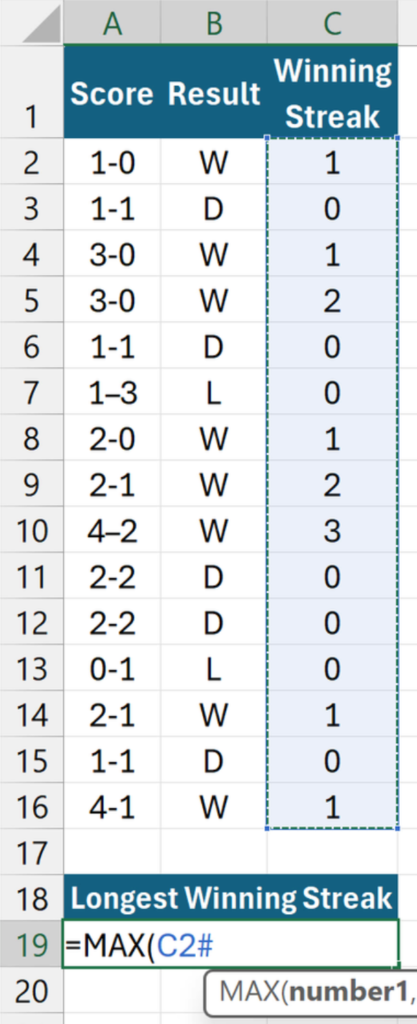
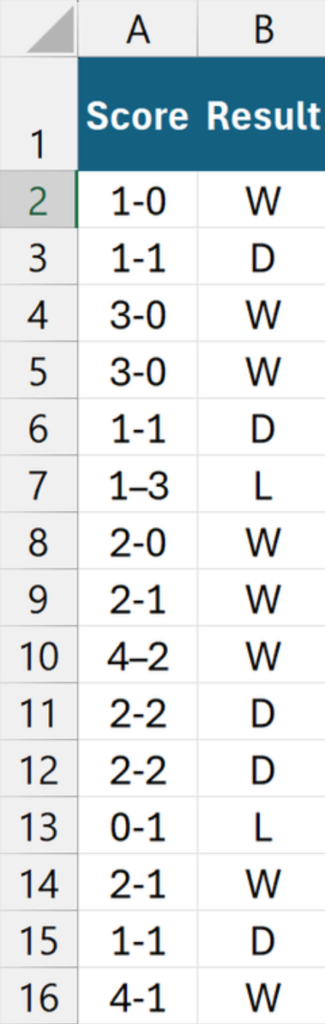
In this example, the football results in B2:B16 contain W for win, D for draw, and L for loss.
The goal is to increment the count for each successive win and reset it whenever the streak breaks.
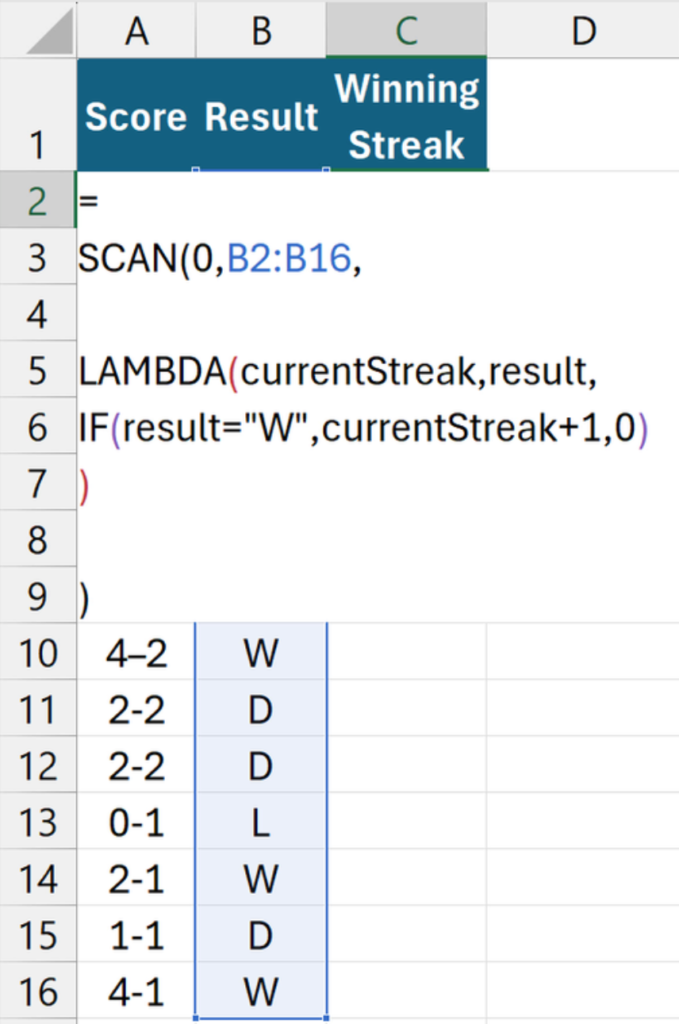
This spill formula in C2 does that:
=
SCAN(0,B2:B16,

LAMBDA(currentStreak,result,
IF(result="W",currentStreak+1,0)
)

)
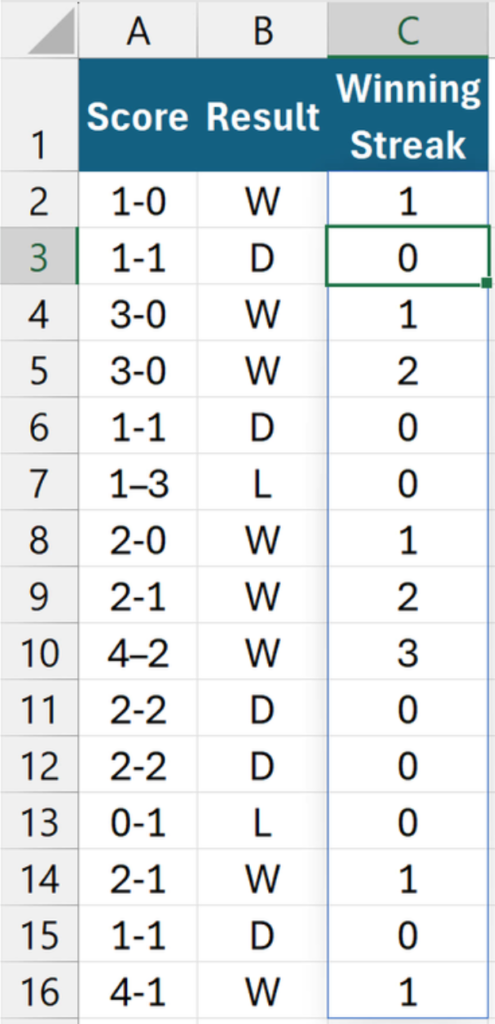
SCAN is suitable for running counts because it returns intermediate values.
- The initial value (0) sets the starting point.
- The array (B2:B16) refers to the list of results.
- The LAMBDA defines the logic:
currentStreakis the running count up to the current row.resultis the current result.- If
resultequals “W”, the streak increases by 1; otherwise, it resets to 0.
One more thing…
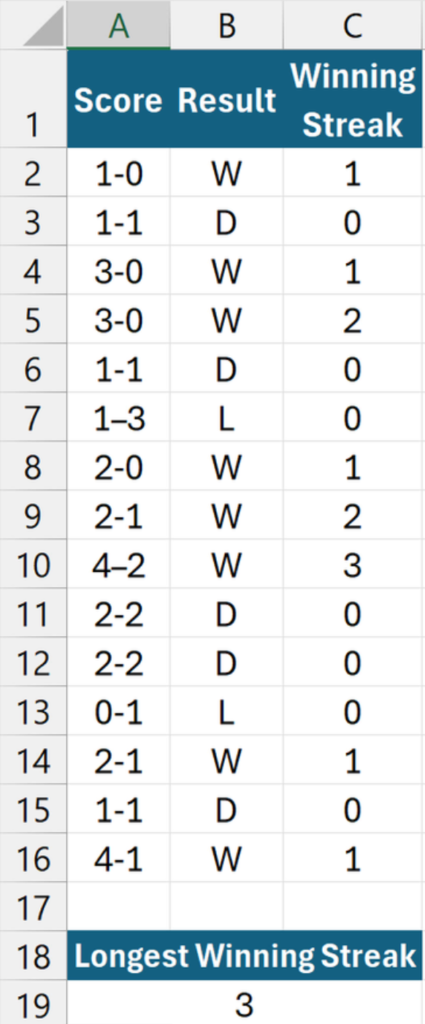
To return the maximum winning streak, use =MAX(C2#).