
Convert dates from US to UK format in Excel


When you open a file in Excel with US dates (month/day/year), things can quietly go wrong.
The US is the only major country in the world that uses this format as its primary standard, while the vast majority use day/month/year.

If your system uses day/month/year, Excel will often misinterpret those dates on import. What looks like a simple formatting issue is actually a data interpretation problem, and that’s where people get caught out.
Changing the format won’t help. If Excel has already read the date incorrectly, you need to address how it’s interpreted.
Here’s how to fix it properly:
1. Select your dates
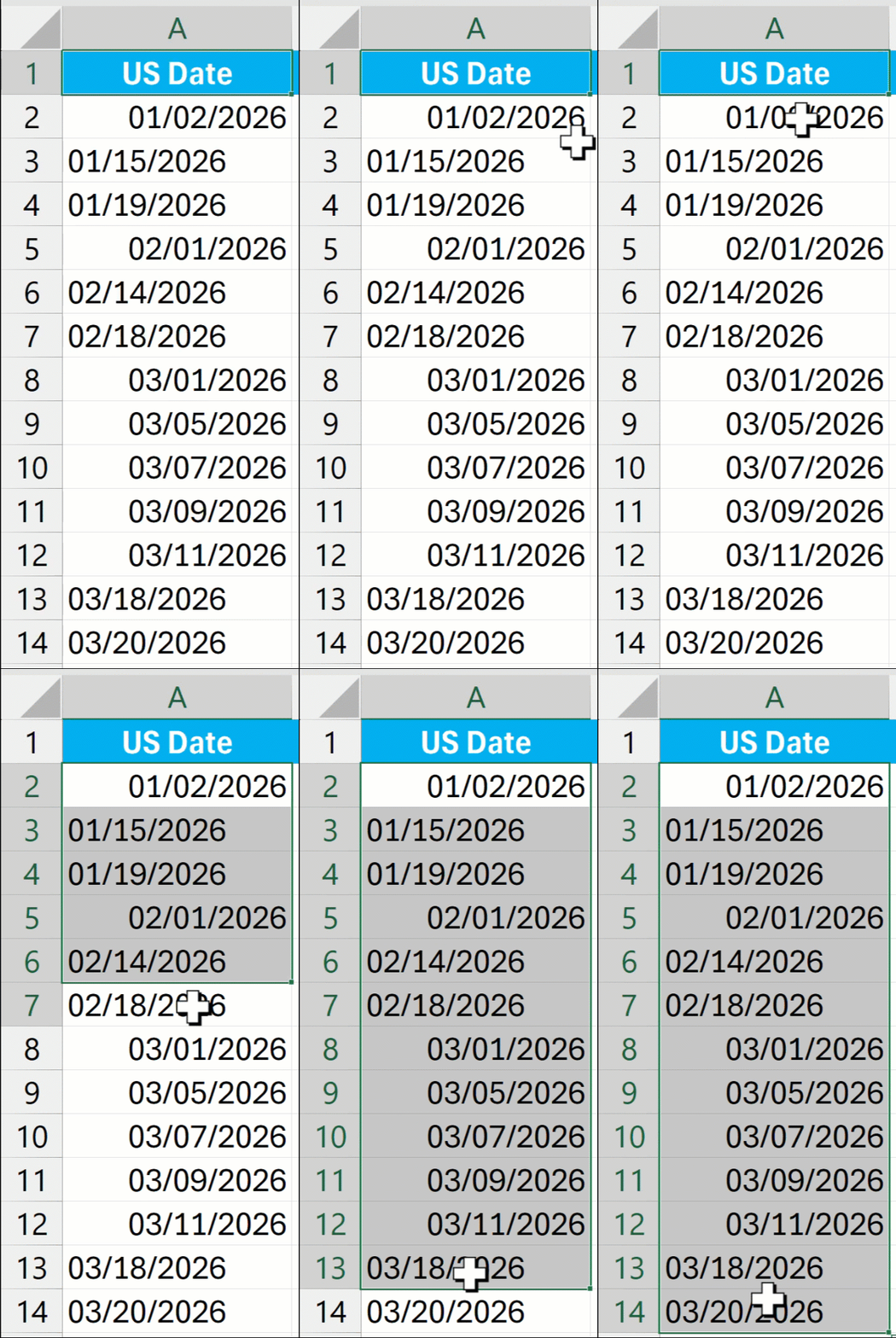
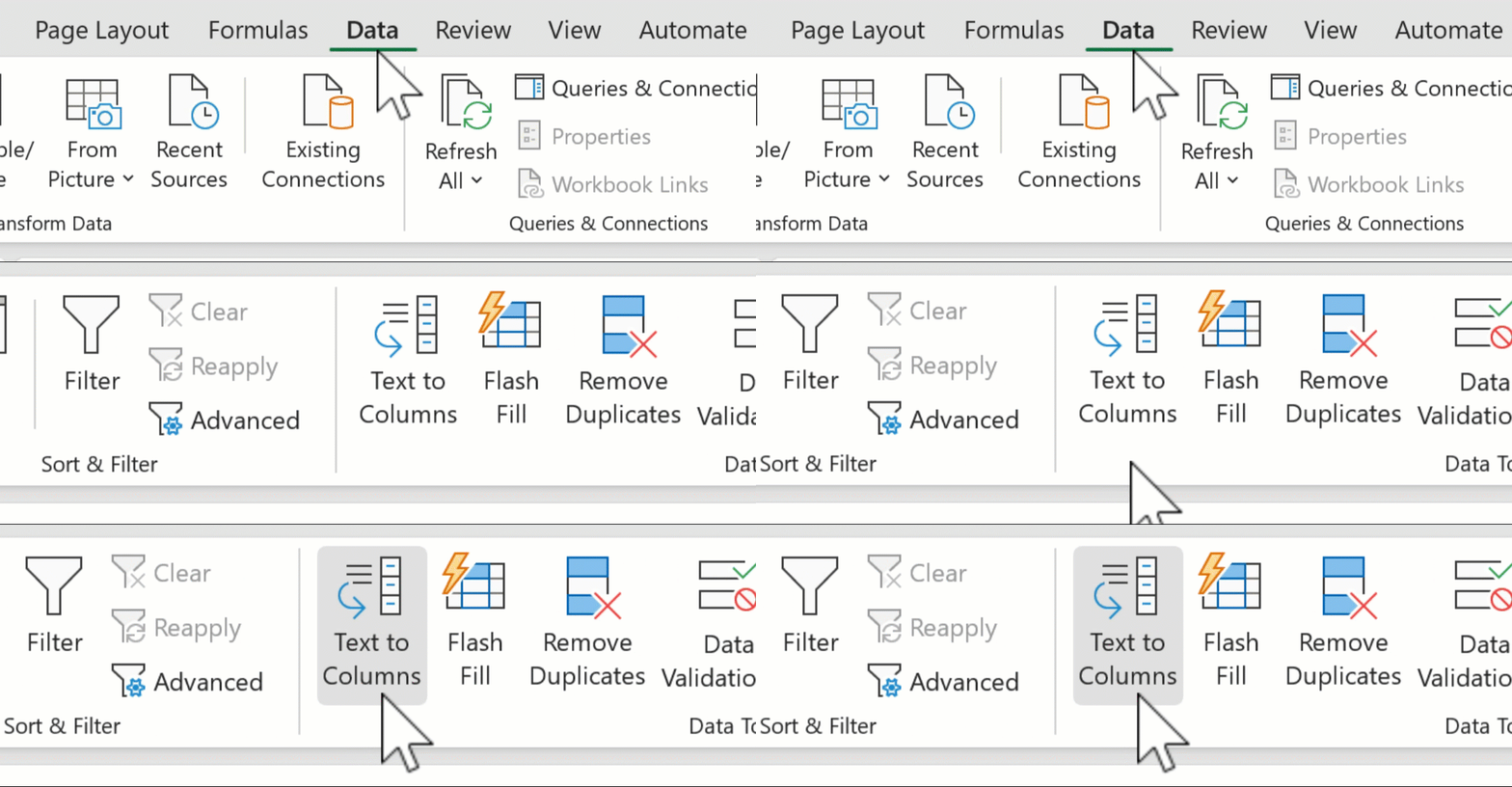
2. Go to Data > Text to Columns
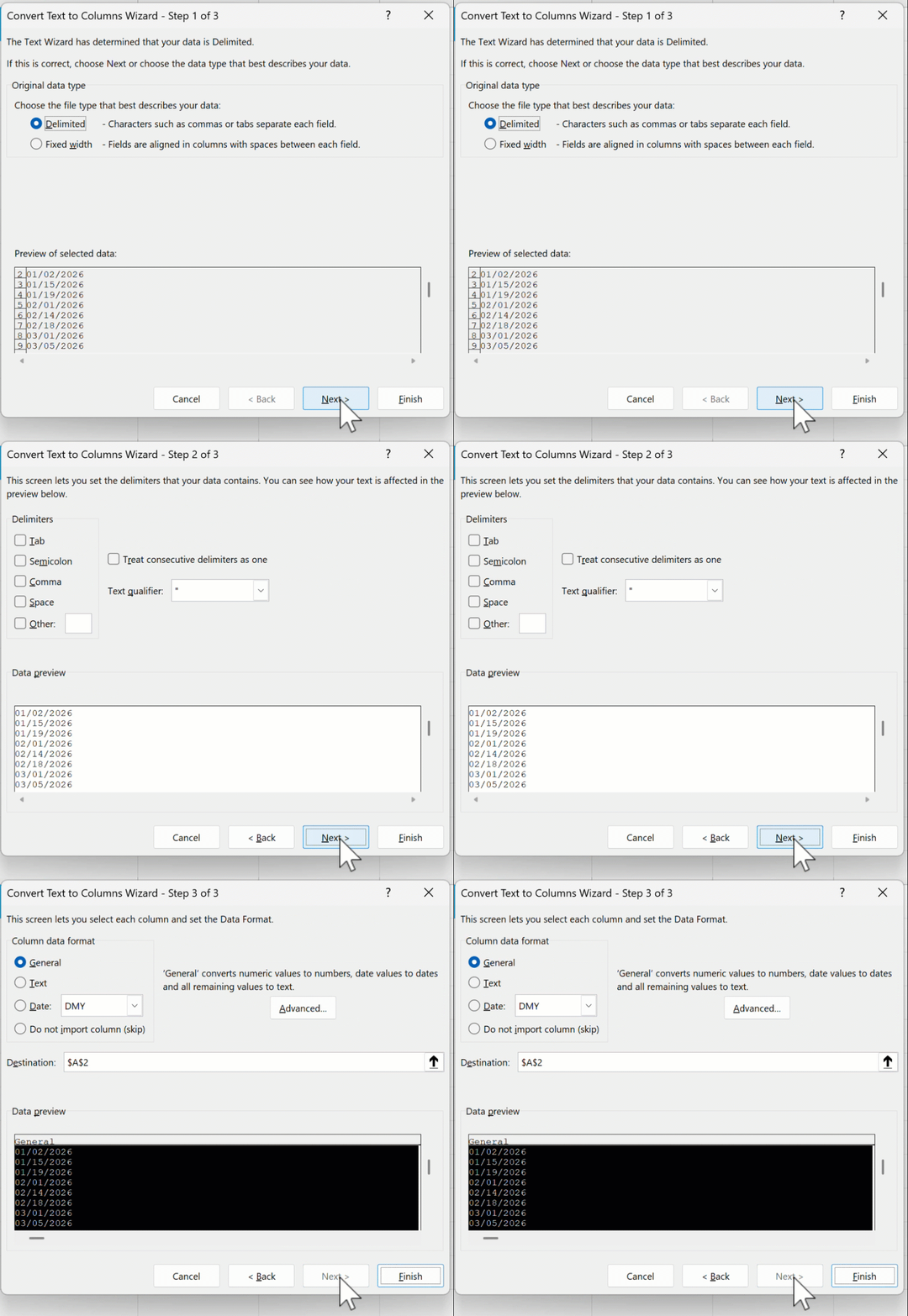
3. Click Next > Next
4. Choose Date > MDY
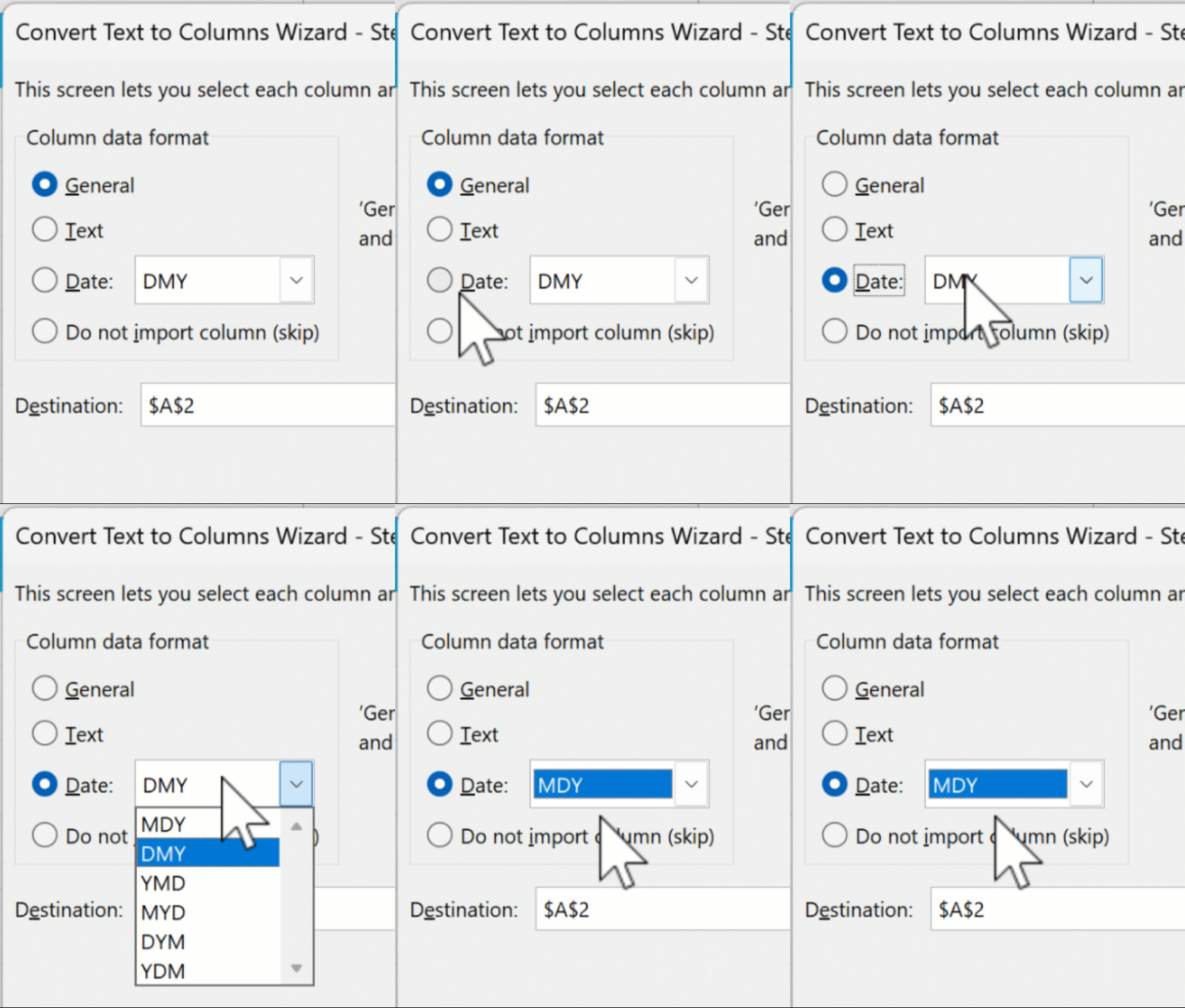
5. Select a destination (optional)
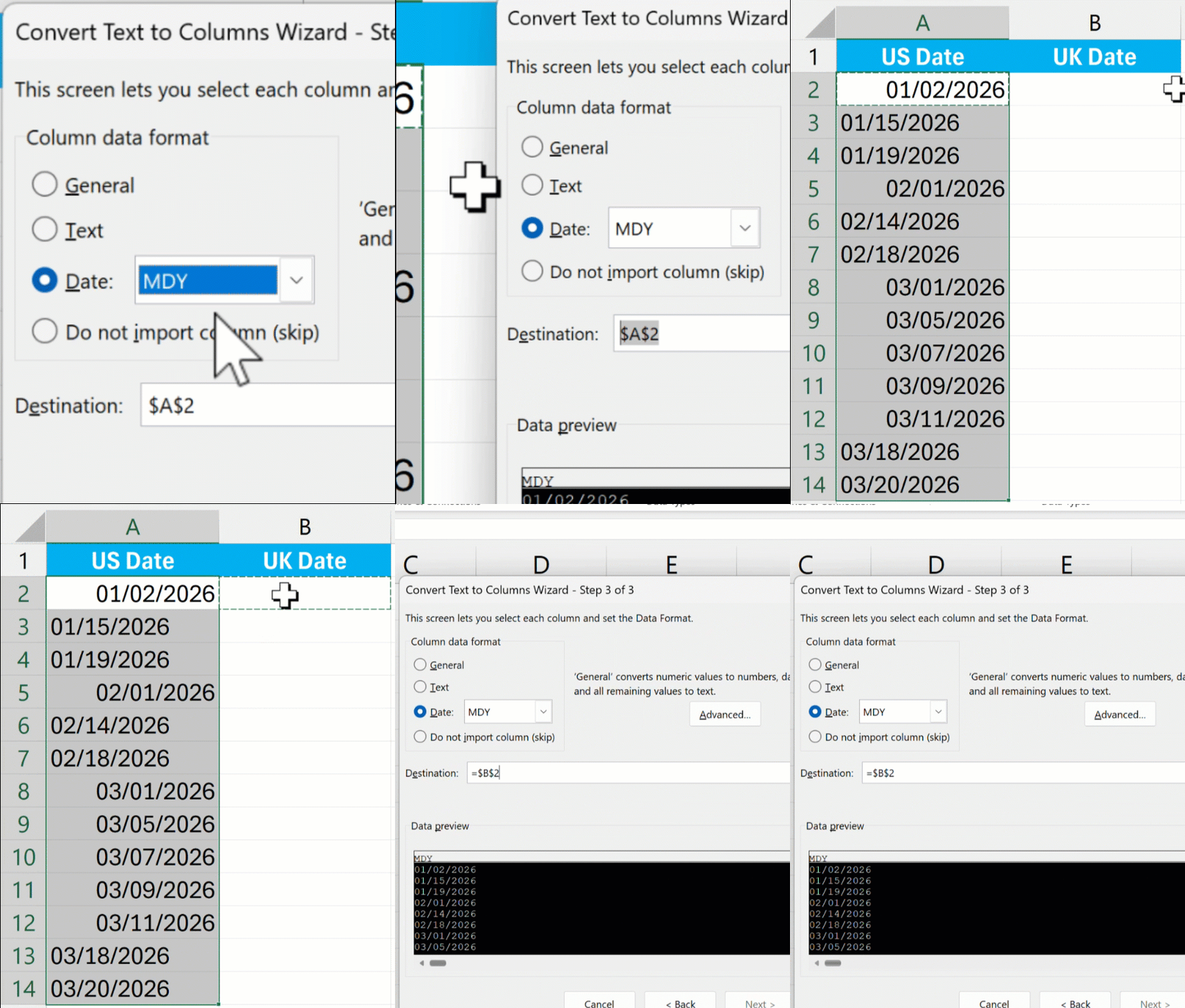
6. Hit Finish
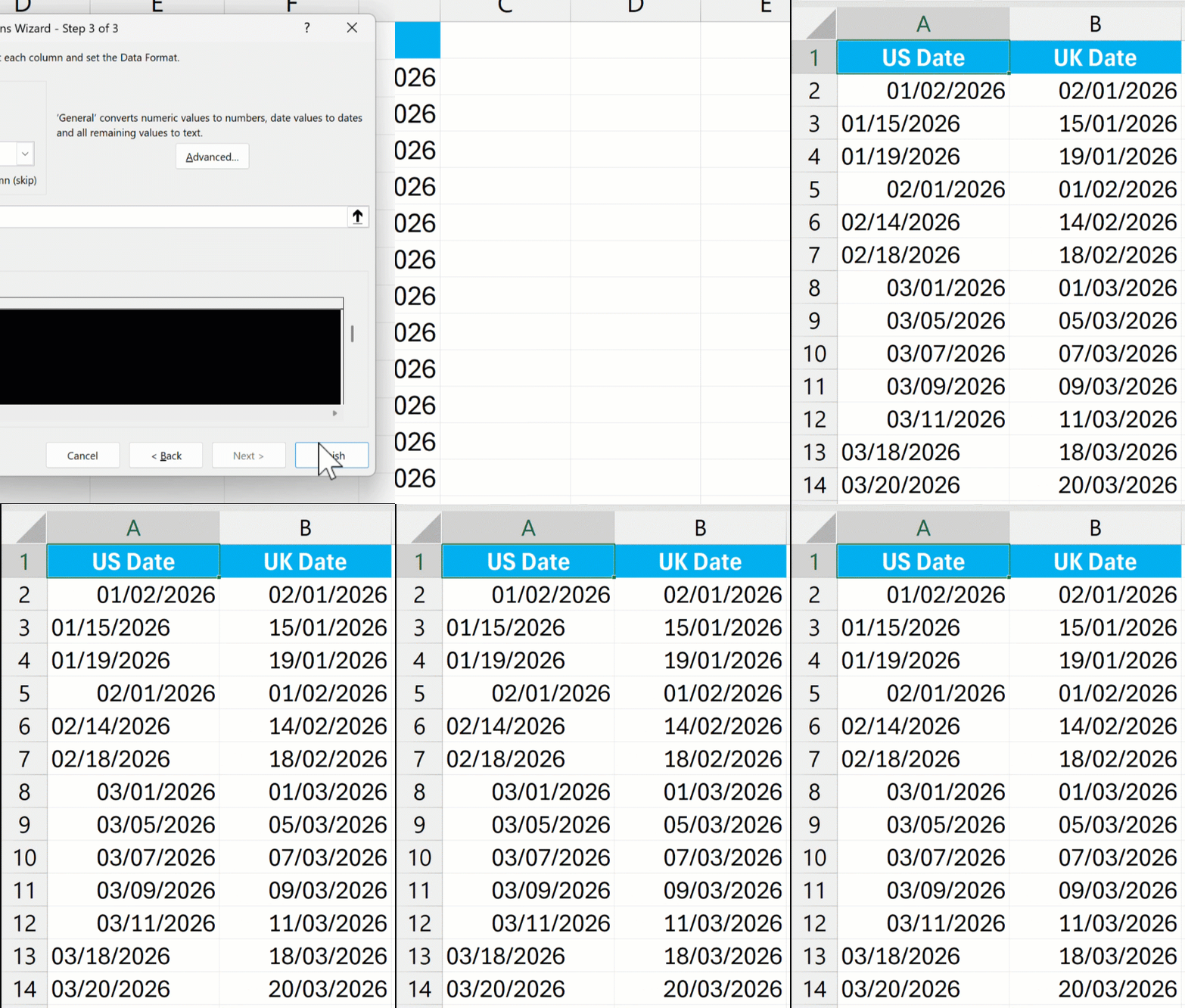
That MDY step is crucial. You’re telling Excel what format the data is currently in, so it can interpret it correctly before applying your regional format.
Ultimately, if you don’t correct the dates, every sort, filter, and calculation you do will be wrong — but you might not even notice. This is especially true when many dates have a day of 12 or under, as these can easily be mistaken for the month.