
Highlight the current week in Excel


If you’re handling schedules, managing tasks, or reviewing financial data, highlighting today’s date, the current workweek, and the upcoming weekend makes everything easier to track.
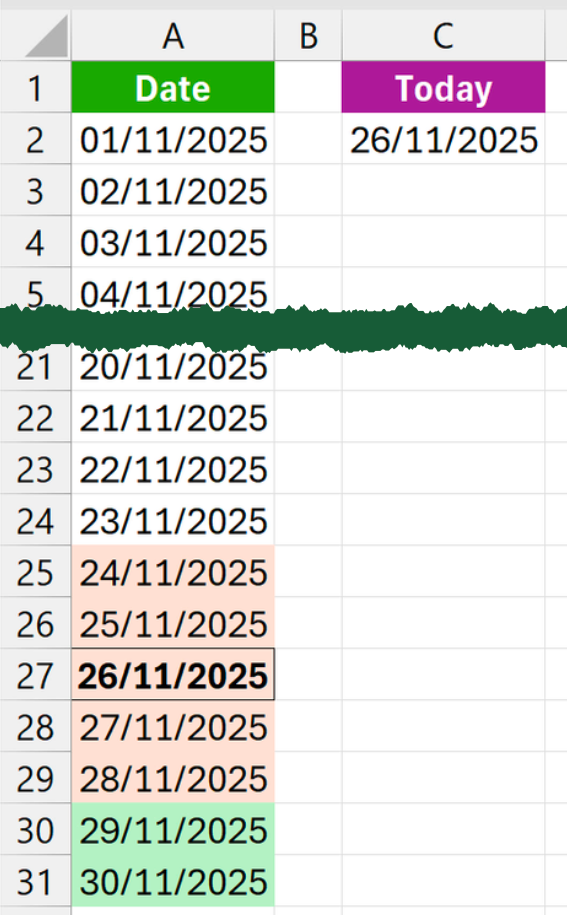
Assuming your dates are in A2:A31 and today’s date is in C2, carry out the following steps:
- Select the dates in A2:A31.
- Go to Home > Conditional Formatting > New Rule.
- Choose Use a formula to determine which cells to format.
- Add each formula below as a separate rule and apply the suggested formatting:
Today
=A2=$C$2Formatting:
- Border > Outline
- Font > Bold
Current week
=
LET(

date,A2,
weekStart,$C$2-WEEKDAY($C$2,2),

AND(
date>=weekStart+1,
date<=weekStart+5
)

)
Formatting:
- Fill > Orange shade
Current weekend
=
LET(

date,A2,
weekStart,$C$2-WEEKDAY($C$2,2),

AND(
date>=weekStart+6,
date<=weekStart+7
)

)
Formatting:
- Fill > Green shade
Once the rules are applied, the correct parts of the week will highlight automatically based on the date in C2.
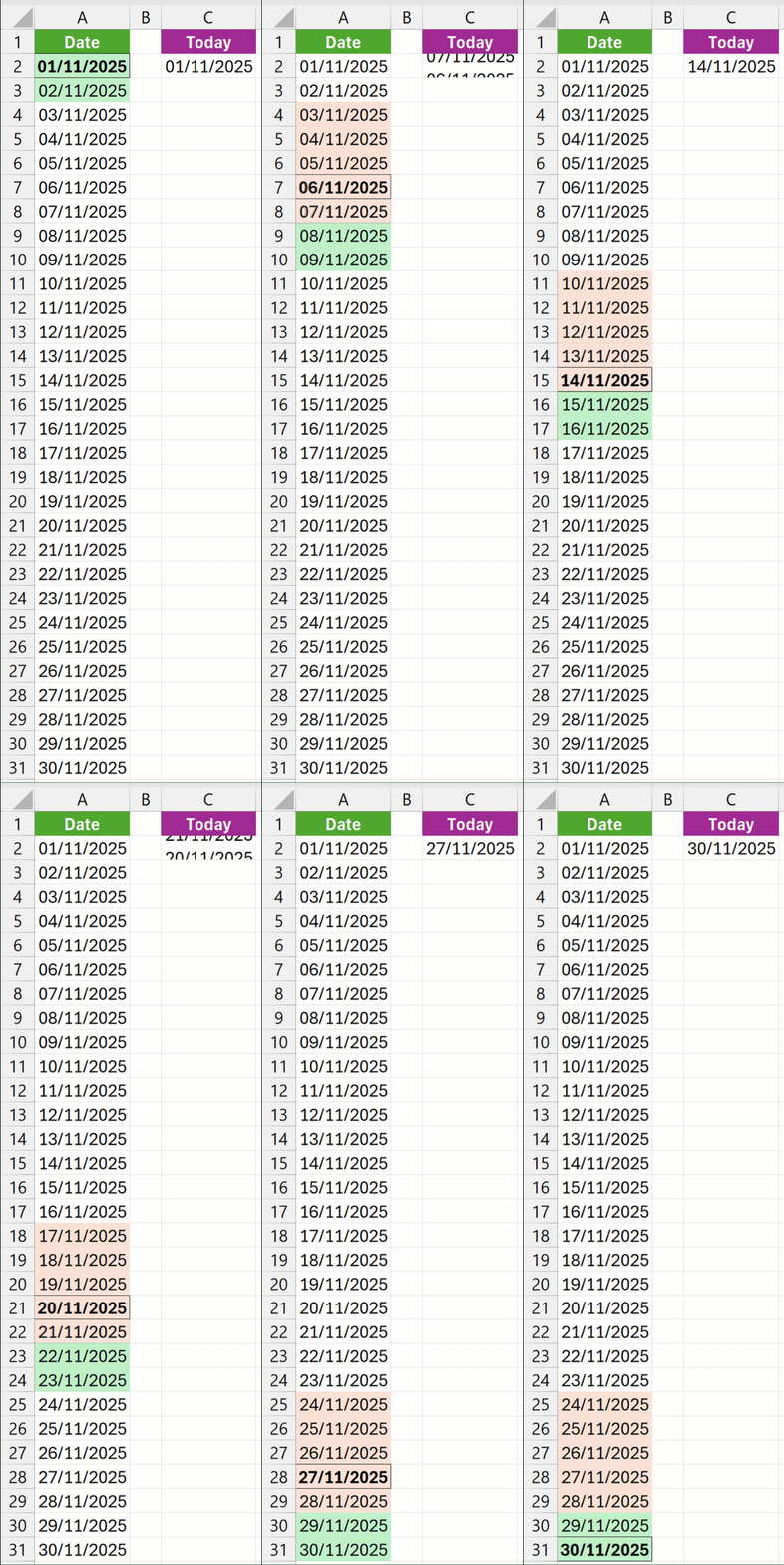
Much simpler to work with!