Generate random numbers in Excel


If you’re stress-testing a worksheet, running a simulation, or building a financial model, generating random numbers is a great way to explore different scenarios.
Here are three ways:
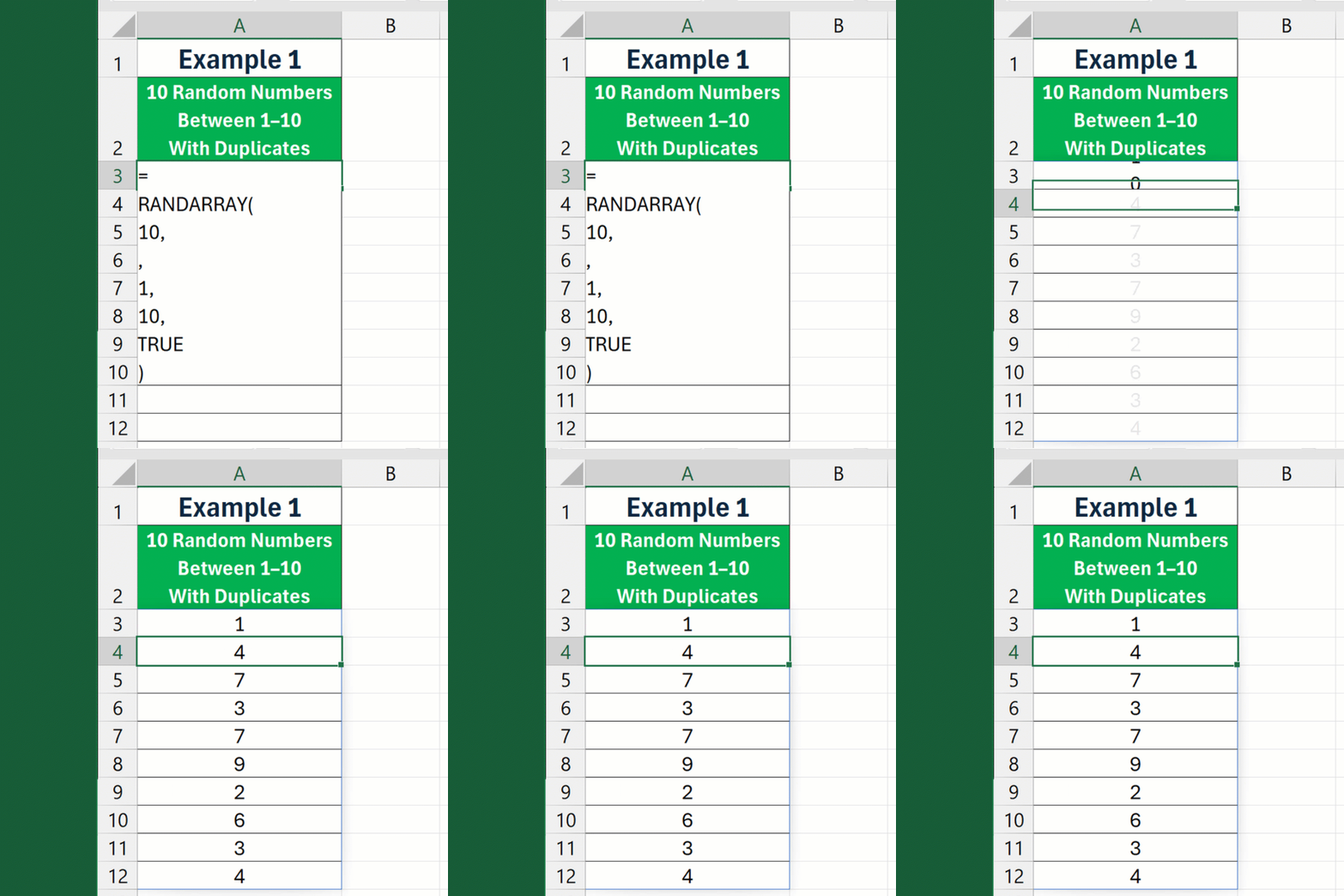
Example 1
- 10 Random Numbers
- Between 1–10
- With Duplicates
=
RANDARRAY(
10,
,
1,
10,
TRUE
)
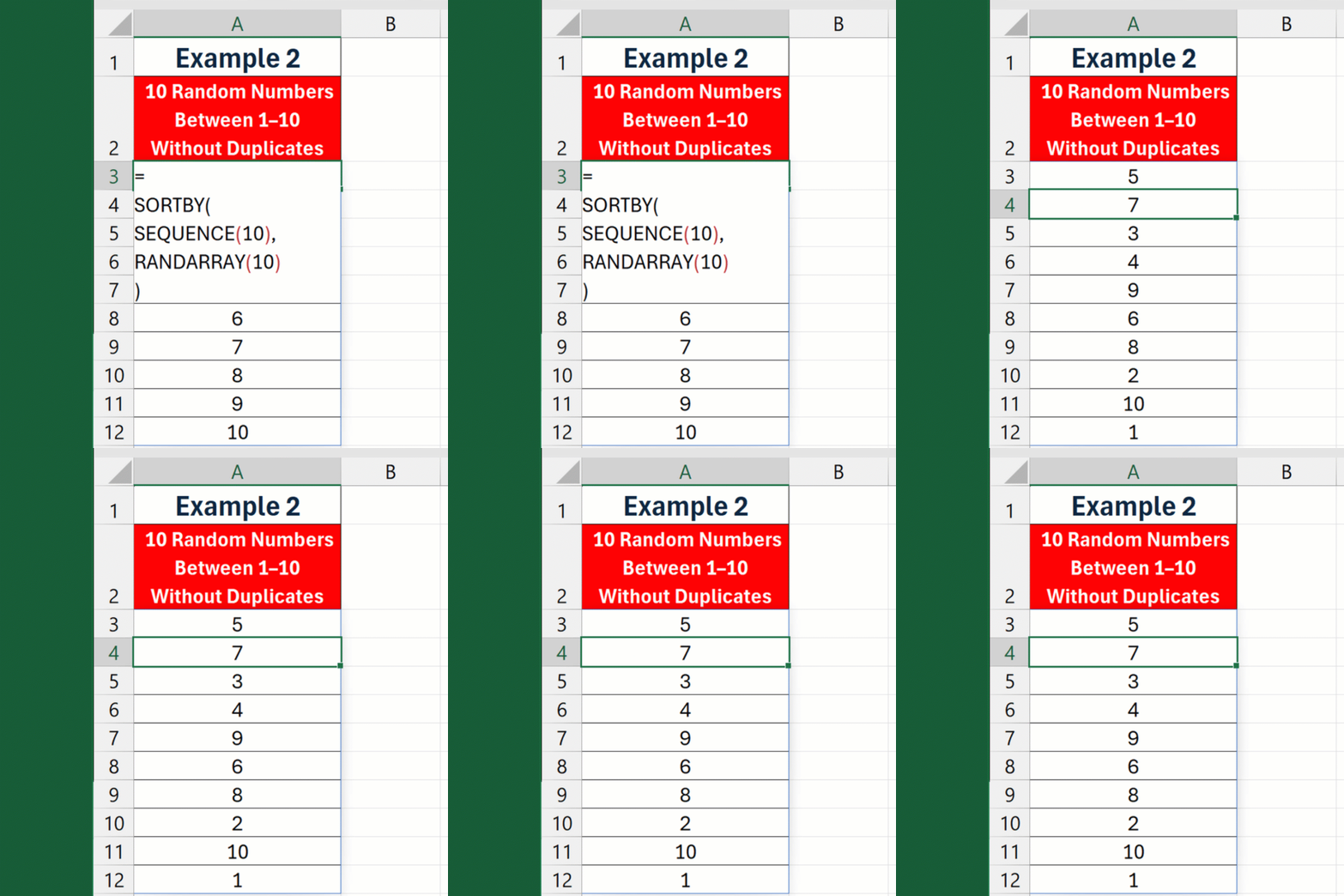
Example 2
- 10 Random Numbers
- Between 1–10
- Without Duplicates
=
SORTBY(
SEQUENCE(10),
RANDARRAY(10)
)
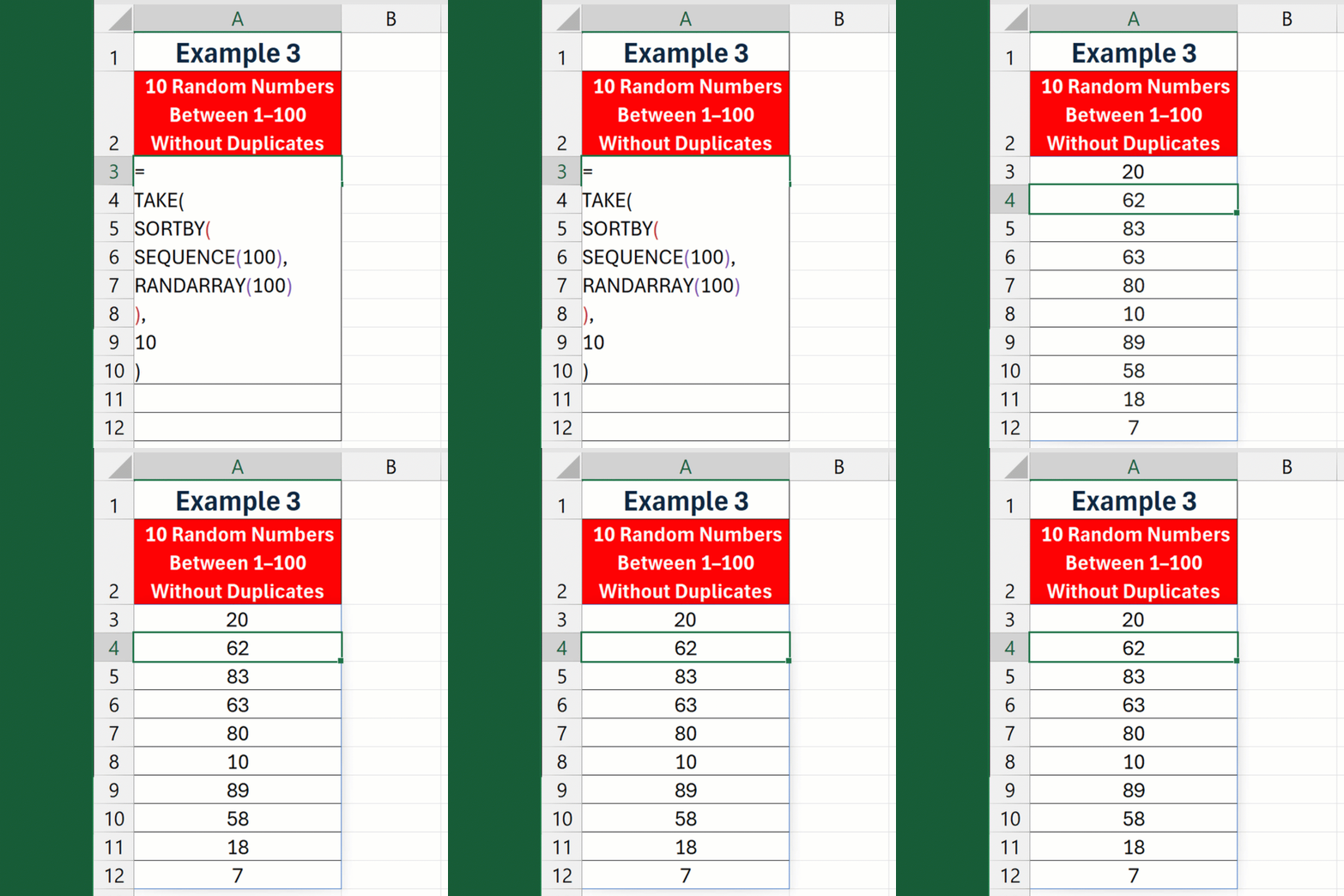
Example 3
- 10 Random Numbers
- Between 1–100
- Without Duplicates
=
TAKE(
SORTBY(
SEQUENCE(100),
RANDARRAY(100)
),
10
)